
Stop Your Workspace From Destroying Your Health

Over 60% of remote workers suffer from workspace-related pain every single day. You don’t have to be one of them.

Transform Your Workspace Now

What Makes an Ergonomic Workspace?

An ergonomic workspace aligns your body’s natural posture to reduce strain and prevent injury. Key elements include proper chair height (feet flat, knees at 90°), monitor at eye level (arm’s length away), and neutral wrist positioning for keyboard and mouse.

Research shows: Proper ergonomic setup reduces back pain by 40% and increases productivity by 25% within the first month of implementation.

Your Workspace Is Silently Sabotaging Your Health

60%

experience daily discomfort

$50B

in annual productivity loss

86%

of workers have poor posture

8/10

will suffer from back pain

The Hidden Costs Of Poor Ergonomics

01

Physical Toll

Chronic neck pain, lower back strain, wrist injuries, and tension headaches that disrupt your daily life.

02

Productivity Loss

Constant discomfort destroys focus, drains mental energy, and significantly reduces your work quality.

03

Quality Of Life

Workspace pain doesn’t stay at work. It affects your sleep, relationships, and ability to enjoy activities you love.

Ergonomic workspace expert with research materials and ergonomic diagrams

Honest Ergonomic Advice You Can Trust

We cut through the marketing hype and industry myths to deliver evidence-based ergonomic guidance. Every recommendation is backed by research from Herman Miller, NIOSH, and leading ergonomics institutes.

We fearlessly challenge industry marketing and common misconceptions. Gaming chairs aren’t ergonomic. Expensive doesn’t always mean better. Standing desks aren’t magic solutions. We tell you what really works.

Learn Our Approach →

Start Your Transformation Today

Follow our evidence-based approach to create a pain-free, productive workspace

Complete ergonomic workspace setup showing proper chair, monitor, and desk positioning
1

Master Your Setup

Transform your home office into a pain-free productivity zone with our comprehensive workspace setup guide.

What you’ll learn: Chair positioning, monitor height, keyboard placement, and lighting optimization.

Get the Complete Guide →
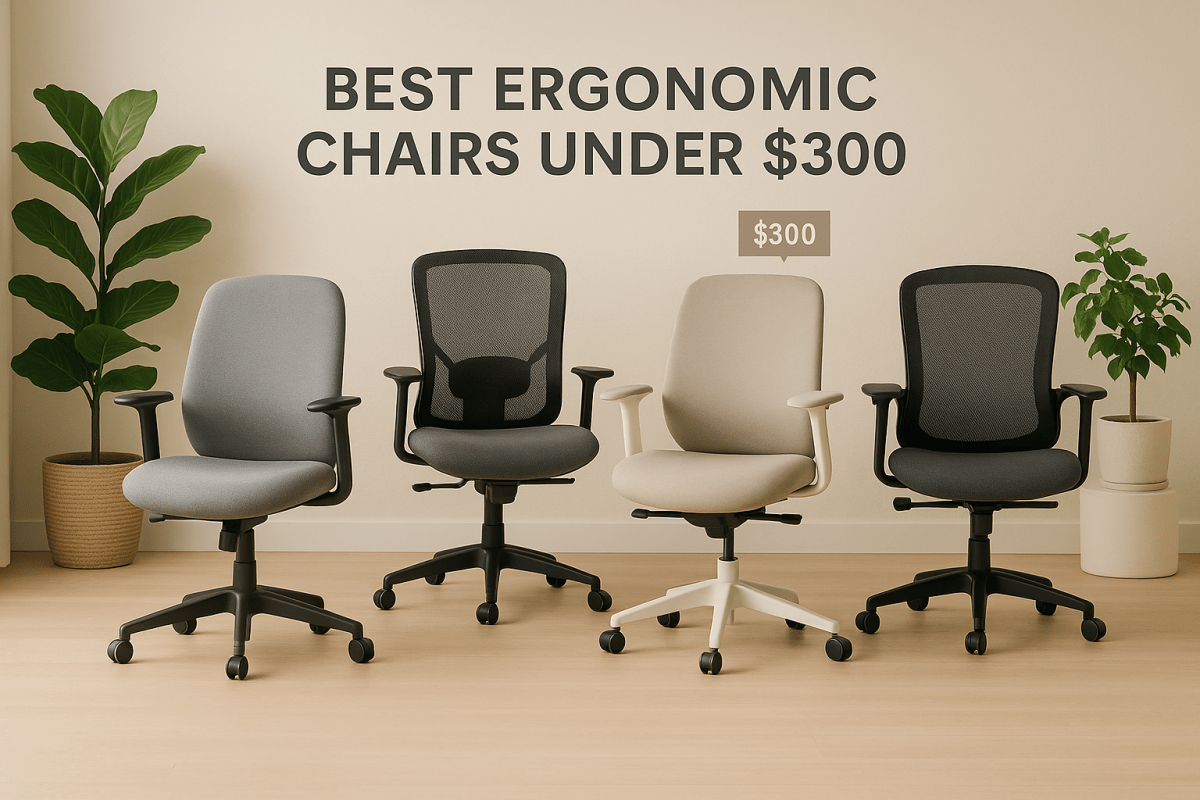
Best ergonomic chairs under $300 comparison showing Steelcase, HON, and La-Z-Boy options
2

Choose the Right Chair

Cut through chair marketing hype with our research-backed analysis of budget-friendly ergonomic options.

What you’ll discover: Which $300 chairs outperform $800 alternatives and why most “ergonomic” claims are false.

See Our Top Picks →
Standing desk setup showing proper ergonomic positioning and height adjustment
3

Debunk the Myths

Separate ergonomic facts from marketing fiction with our myth-busting approach to workspace wellness.

Myths exposed: Standing desk benefits, gaming chair ergonomics, and expensive equipment claims.

Read the Research →

Frequently Asked Questions

What is the most important ergonomic workspace element?

Your chair setup is the foundation. Proper chair height (feet flat, knees at 90°) and lumbar support prevent 80% of workspace-related back pain. Monitor height comes second – top of screen at eye level prevents neck strain.

How much should I spend on ergonomic workspace setup?

Research shows the $200-300 range offers the best ergonomic value. You can create an effective setup for under $500 total. Expensive doesn’t always mean better – focus on proper positioning over premium materials.

Do standing desks really improve health?

Standing desks provide minimal health benefits according to recent studies. The key is movement and proper sitting posture, not standing all day. Alternating between sitting and standing every 30-60 minutes is most effective.

Are gaming chairs good for office work?

Gaming chairs prioritize aesthetics over ergonomics. Office chairs consistently outperform gaming chairs for spinal support and long-term comfort. Gaming chairs often lack proper lumbar support and use marketing rather than ergonomic science.

How quickly will I see ergonomic improvements?

Most people notice reduced discomfort within 1-2 weeks of proper ergonomic setup. Significant pain reduction typically occurs within 4-6 weeks. Productivity improvements often appear within the first week as comfort increases focus.

Can I make my current workspace ergonomic without buying new furniture?

Yes! Many ergonomic improvements cost nothing: adjusting chair height, repositioning your monitor, and using books to raise your laptop. A $20 lumbar cushion and proper positioning can eliminate 60-70% of workspace discomfort.

About Ergo Workspace Guide

Ergo Workspace Guide is dedicated to helping remote workers and office professionals create healthier, more productive workspaces through evidence-based ergonomic guidance.

We combine scientific research with practical testing to provide honest, actionable solutions for every budget. No marketing hype, no affiliate bias – just research-backed recommendations that actually work.

Learn more about us →
Ready to Transform Your Workspace?

Stop letting your workspace sabotage your health and productivity. Start with our comprehensive ergonomics guide and begin your journey to pain-free, productive work.